
Whether you're interested in using a workstation in one of our number of computer labs, or borrowing a laptop from one of our laptop share kiosks, there are plenty of ways to gain access to using computers on Temple's campus.

The TECH Center
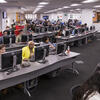
TECH Center Hours of Operation
Fall 2026 Hours of Operation
*exceptions below
Monday - Thursday: 7:30 am - 10:00 pm
Friday: 7:30 am - 5:00 pm
Saturday: 9:00 am - 5:00 pm
Sunday: 10:30 am - 7:00 pm
*Labor Day - Monday, September 7: 10:30 am 7:00 pm
The state-of-the-art TECH Center is located on Main Campus, Temple’s award-winning computer facility, is a major hub providing students with a vibrant environment to study, socialize and collaborate while taking advantage of premier technology including:
- 400+ lab computers for student use
- 150 software applications
- 13 breakout rooms
- 3 WhisperRoom booths suitable for recording podcasts, vocal narrations and other individual recording sessions
- 2 MediaScape collaboration tables
- 2 Gamrpods for remote classes, video/audio calls, gaming
- wireless loaner laptops and iPads
- wireless printing
- specialty labs for video editing, music and graphic design
- dual and triple screen displays
- quiet study rooms
- media studio for shooting video and recording audio
- internet lounge
- cell phone charging lockers
1Figures are approximate and dependent on annual school and college software requests.
*Quantified data such as count of computers, count of breakout rooms, etc., was verified by ITS staff.

Specialty Labs for Video Editing, Music and Graphic Design
Explore your creativity by using the software that is available in one of the TECH Center’s specialty labs for video editing, music and graphic design to produce innovative projects.
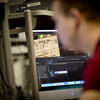
Media Studio for Shooting Video and Recording Audio
Professionally produce video shoots, audio recording, still photography sessions and video-conference interviews using the TECH Center’s media studio.
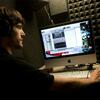
Recording Booths
Reserve one of three recording booths in the TECH Center that are suitable for recording podcasts, vocal narrations and other individual recording sessions.
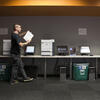
Print on the Go
Use your print quota - with Print on the Go, you can submit documents for printing by uploading them to our Print Service website or emailing it to Owlprint from your laptop or mobile device. Then, print and pick up requests at any Print on the Go station around campus.
Specialty Printing
In addition to the print stations throughout the TECH Center, the Printing Room allows students to affordably print by having specialized printers for use such as:
- High-volume laser printers
- Print On the Go Printers
- Color laser printers
- Inkjet printers
Battery Share
Borrow a power bank from one of our automated kiosks for up to five hours to charge your laptop or mobile tech devices when studying at the library or Center City campus.
Laptop Share
Borrow a laptop for up to four hours from one of our automated kiosks, located around Main Campus. Take it to class, study with it in the library or use it wherever you want. Then return it to the kiosk most convenient to your location.
Adaptive Technologies
Accessibility tools, available on over 1200 campus computers, providing adaptive technologies to students with disabilities.
Other Computer Labs
In addition to the TECH Center, Temple offers school and college computer labs on Main Campus, as well as at Temple’s other campuses. Most labs feature workstations with general and specialized software, and printing for lab workstations, laptops and other wireless devices.
Ambler IT Services
Ambler IT Services is located in the Information Commons on the first floor of the Learning Center.
Features include:
- Computers with software applications serving all academic disciplines
- Printing, plotting, and scanning
- Help Desk/PC Clinic
- Computer repairs, spyware and virus removal
- Faculty, staff and student consultant help area offering support services
- Student Breakout Room
- Wireless access